I was asked to make a tired application look modern. I did it by adding one stylesheet and a handful of harmless markup hooks, and I never touched a line of its logic.
The ask
The application was a Distribution Enablement System built on ASP.NET Web Forms. It had years of development behind it, from several different developers, and the code had accumulated the kind of gotchas that long-lived codebases always do. It worked. It did its job every day. But it looked its age, all glossy gradients and cramped controls from an era the web had moved past.
The request was refreshingly narrow: make it look modern, and change nothing about how it works. Same screens, same buttons, same behavior, same workflows. Just bring the look into this decade.
That sounds easy until you remember what you are working with.
Why the obvious answer is the wrong one
The instinct, when someone says "make it look modern," is to go into the markup and redo it. New layout, new structure, cleaner HTML on every page.
On this codebase, that instinct is a trap. A Web Forms app of this age is a large surface of .aspx pages and user controls, touched by many hands over many years, with logic and presentation woven together in ways you cannot fully predict until you break something. The goal was purely cosmetic. Reworking markup across the whole app to achieve a cosmetic goal means taking on real risk, page by page, for zero functional gain. Every page you touch is a page you can break, and in an app like this, "I only changed the HTML" is never as safe as it sounds, because you do not always know what a given control or script is quietly depending on.
So the smart move is to change the look without touching the thing that is risky to touch.
The reframe
Here is the idea the whole project rests on: appearance and behavior are separable. How an app looks is not the same concern as what it does. In a web application, the look lives in CSS, and CSS can take over the entire appearance of a page without the page's markup or logic changing at all, as long as the CSS has reliable things to target.
That last part is the catch, and with Web Forms it is a real one.
So the job was not "rewrite the UI." The job was "give a single stylesheet clean targets to grab onto, then let that stylesheet do all the visual work." Carve out a styling seam, then style through it.
The Web Forms gotcha: ctl00_ and the ID problem
If you have never fought it, here is the specific thing that makes styling a Web Forms app harder than a normal site.
When you put a server control on a page, you give it a tidy ID:
<asp:TextBox ID="txtOrderId" runat="server" />
But that is not the ID that reaches the browser. Web Forms wraps controls in naming containers, such as master pages, content placeholders, and user controls, and it rewrites the ID at render time into something like this:
<input type="text"
       id="ctl00_ContentPlaceHolder1_txtOrderId"
       name="ctl00$ContentPlaceHolder1$txtOrderId" />
The ctl00_ prefix and the container path in the middle are generated for you, and they change depending on where the control sits in the page hierarchy. That means you cannot reliably write CSS against those IDs. #txtOrderId matches nothing, and #ctl00_ContentPlaceHolder1_txtOrderId is brittle, ugly, and liable to differ from one page to the next. Chasing generated IDs is how you end up with a stylesheet that works on one screen and silently fails on the next.
The move: stable hooks, then one stylesheet
The fix is to stop chasing generated IDs and give the CSS stable handles instead. Web Forms offers two that cost nothing in behavior:
CssClass, which renders as a plainclassattribute you control.ClientIDMode="Static", or an explicitClientID, which tells Web Forms to stop mangling the rendered ID and emit exactly what you set. So a control gains a reliable hook with a one-attribute change:
<asp:TextBox ID="txtOrderId" runat="server"
             CssClass="des-input" ClientIDMode="Static" />
Now the CSS has something dependable to grab:
.des-input {
    border: 1px solid #c9ced6;
    border-radius: 6px;
    padding: 8px 10px;
    font: inherit;
}
The important thing about both attributes is what they do not do. They do not change a control's behavior, its postback wiring, its server-side events, or its data. They change the name the browser sees. On a fragile, many-hands codebase, that distinction is everything. Adding a class or pinning a client ID is about as safe an edit as exists in Web Forms, because there is no logic in it to get wrong.
And here is the part that made the whole thing cheap. I did not sprinkle these hooks across every page. The surface that actually needed them was tiny, because Web Forms apps share their shell. The edits landed almost entirely in two places:
- the master page, which wraps every screen in the app, and
- three user controls that are reused throughout it. Because those pieces render on essentially every page, a hook placed there shows up everywhere, and a stylesheet that targets those hooks restyles the entire application at once. The master page was also where I added the single line that pulls in the new look:
<link rel="stylesheet" href="/css/des-modern.css" />
One file, referenced once, in the one place every page already runs through. That is the "drop a file on the server and the app is restyled" part, and it is also why future tweaks stay easy. The look lives in that one stylesheet, not scattered through the app.
Before and after
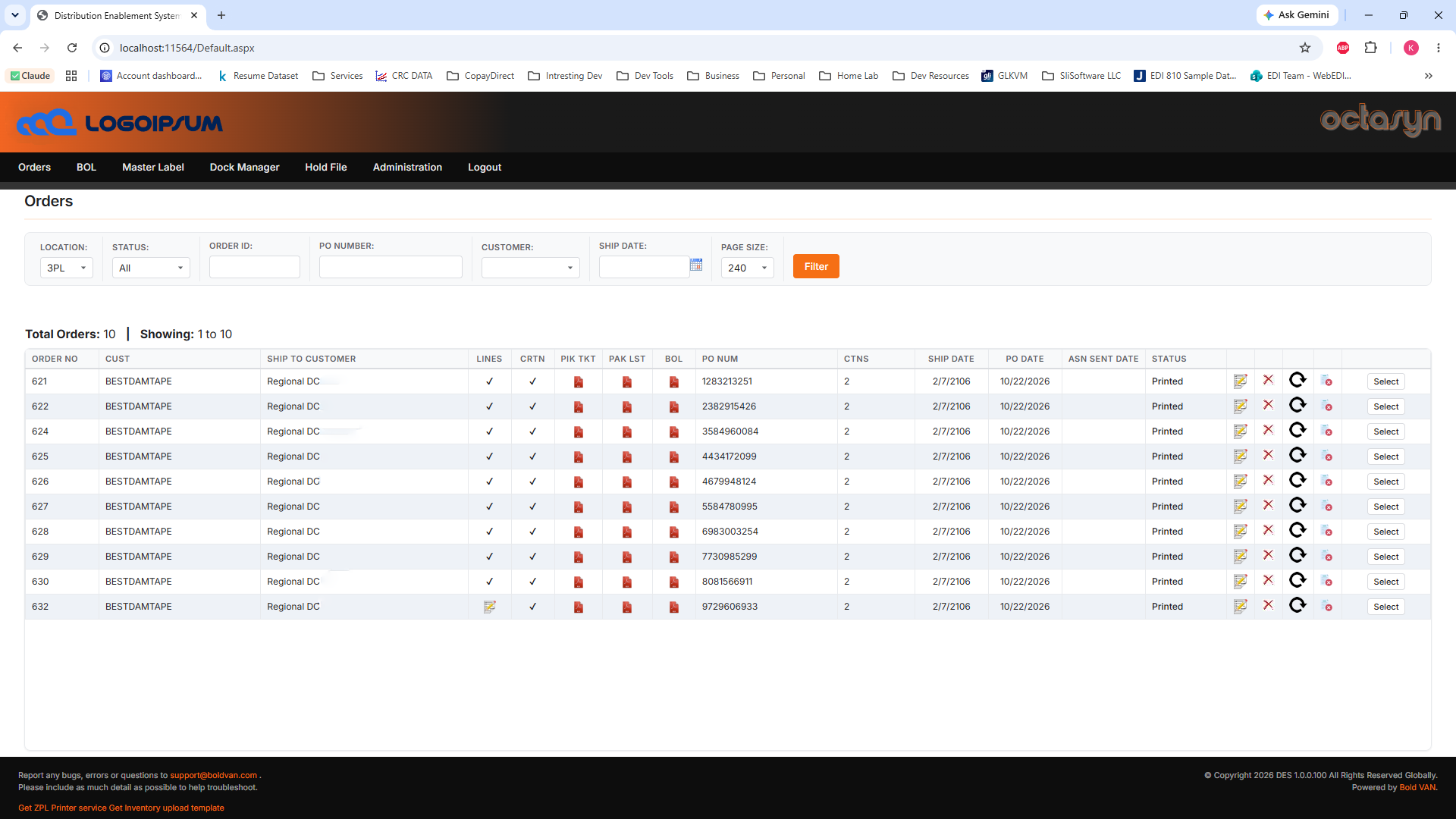
Here is the same application, same markup structure, same behavior, before and after the stylesheet.
The Orders screen
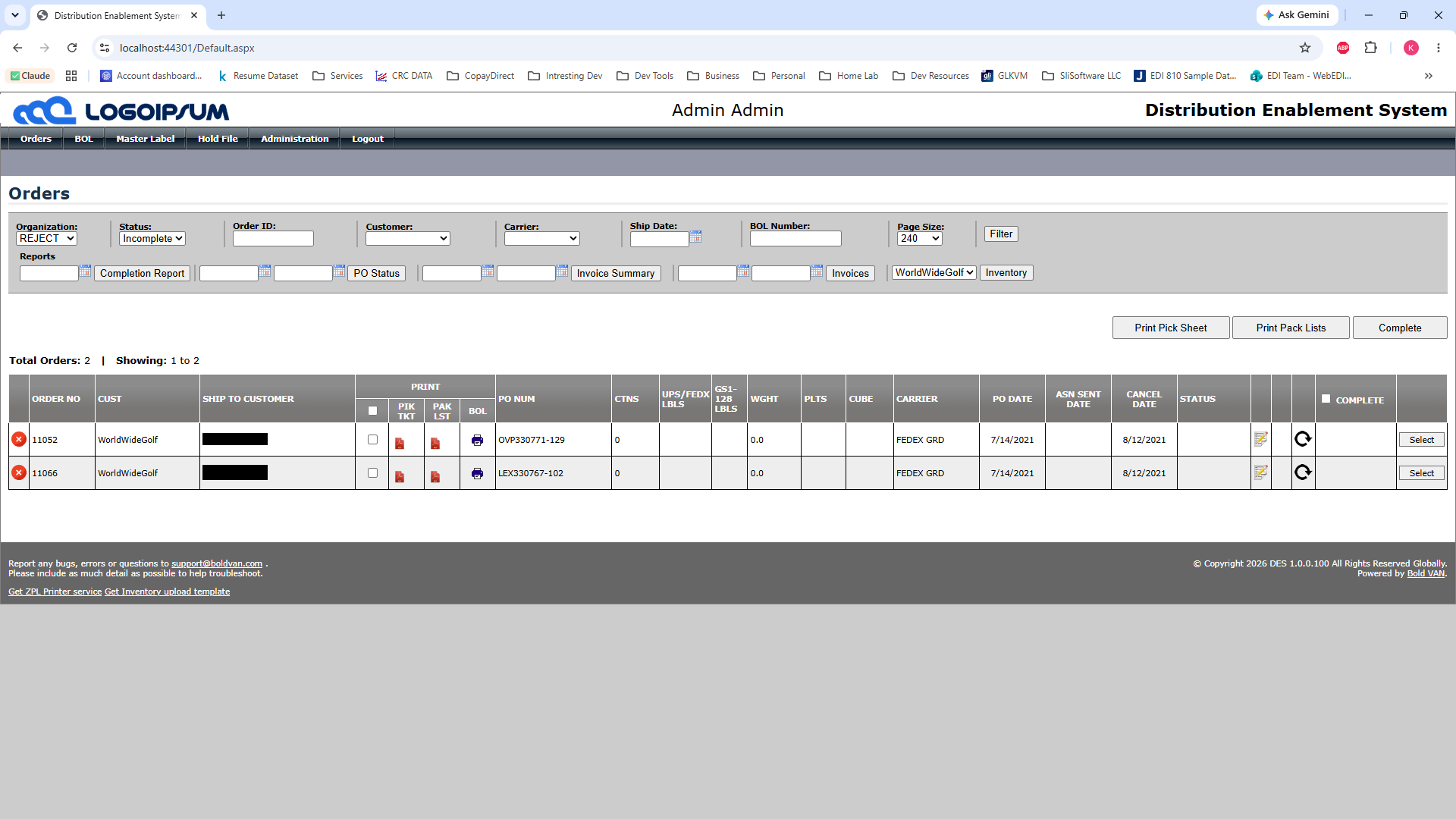
The login screen
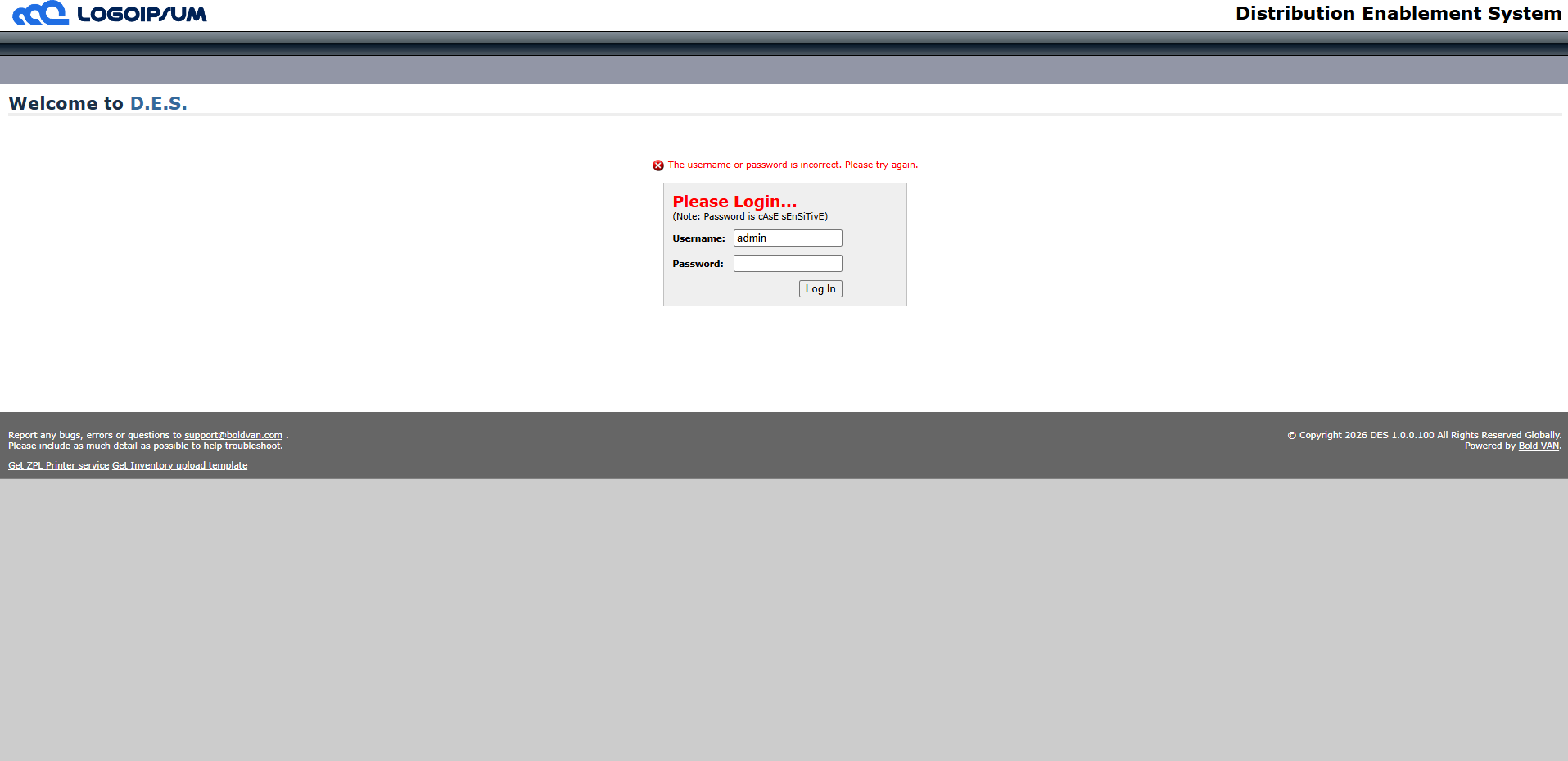

Nothing in those screens works differently. The filters filter, the grid loads, the buttons post back exactly as they did. What changed is the paint, and the paint changed from one file.
When this pattern fits, and when it does not
I want to be honest about where this works, because it is not a universal answer.
It fits when:
- The goal is genuinely cosmetic. You are changing how it looks, not how it is laid out or how it behaves.
- The app shares a shell. A master page and a few reused controls give you a small set of places to add hooks that reach everywhere.
- The existing layout can carry the new look. CSS can restyle what the markup already produces, including spacing, color, type, borders, and the overall feel, but it is still working with the structure that is there. It does not fit when the problem is the structure itself. If the markup produces a layout that is fundamentally wrong for what you want, no stylesheet saves you, and you are back to touching pages. CSS changes the surface, not the bones.
But when the ask is "make it look modern and do not break anything," this is one of the highest-leverage moves available. You get a modern look in front of a working system you never had to destabilize. The app keeps doing exactly what it did. The risk stays near zero, because the only things you touched were a stylesheet and a few presentation hooks. And the result, to the people who use it every day, is a different application.
That is the thread running through how I approach legacy systems. You do not always have to rewrite the old to deliver the new. Often the win is in finding the one place to stand where a small, safe change does the work of a big, risky one.